


Textra SMS
4.2117.01K Reviews
App Specs
- Version
- 4.85
- Updated On
- License
- Free
- Downloads
- 10,000,000+
- Developer
- Delicious
- Categories
- Communication
- Platform
- Android
Screenshots
 Analysis by AppCompare
When I first tried Textra, I wanted a straightforward way to make everyday texting feel more personal without turning message-sending into a project. It is a communication app from Delicious, and its appeal is easy to understand: it gives a familiar SMS and MMS routine more room for individual settings. I found it most useful when I treated those options as small adjustments to make texting clearer and more comfortable, rather than as a reason to change every setting at once.
What to expect from a text-first app
Textra is built around SMS and MMS, so it suits people who still rely on their phone’s regular text conversations. That distinction matters when comparing it with messaging services centered on internet chats: Textra is for the texts and picture messages handled through your mobile service, not a replacement for every chat platform your friends might use. If your day already involves several messaging apps, it can still be useful as a more tailored home for standard text threads.
The app is free, and its Everyone content rating makes it approachable for a broad audience. It has been available since May 20, 2013, and version 4.85 is the current release. Its 4.2 average from around 438,000 ratings, alongside more than 10 million installs, suggests it has found a substantial audience, though popularity alone cannot tell you whether its style will suit your habits.
I would especially consider it if you like being able to identify conversations at a glance, care about notification behavior, or want a bit more control over the look of your inbox. If you rarely use SMS, prefer one service that brings all your internet chats together, or do not want to spend time tuning an app, your phone’s default messaging option may be the simpler fit.
A calmer first setup
After installing it, I recommend making one practical choice first: set it as the default SMS app if you want it to handle your regular text conversations. Then send a test text to someone you know, so you can confirm that new messages are opening in the app you intend to use. This is a more useful first check than immediately working through every appearance option.
Next, make only the changes that solve a real annoyance. If you lose track of threads, choose a look that makes conversations easier for you to scan. If you depend on sound or vibration to notice a particular person, adjust that contact’s alert. There is no need to customize everything before you can use Textra; a few deliberate choices can make the first day feel familiar rather than fussy.
One point worth keeping in mind is that SMS and MMS are different from internet messaging. Sending a regular text or picture message depends on your mobile service and plan, so choosing Textra does not turn those messages into app-based internet chats. That makes the app a practical fit for ordinary carrier texting, but not the right answer if your main goal is to avoid using SMS or MMS.
Worth Reading Before You Choose

EA SPORTS FC Mobile 26 Is a Bigger Football Game, but It Takes Time

Flipboard Shows What News Apps Must Do Beyond the Feed

Switching to Android Auto Means Rethinking Your Driving Routine

Google Calendar Makes a Crowded Week Easier to Manage

Ludo King Makes the Most of the Minutes Between Plans

Baby Panda World Brings Quick Play to Modern Phones, but Its Game Library Feels Busy
Your first useful win: make one conversation easier to spot
A simple first success is to set a distinct notification for a contact whose messages you do not want to miss. Once that is in place, the next time a message arrives, you can recognize the sender by the alert instead of unlocking your phone and checking each conversation. I find this especially helpful for separating time-sensitive family messages from the steady stream of casual group chatter.
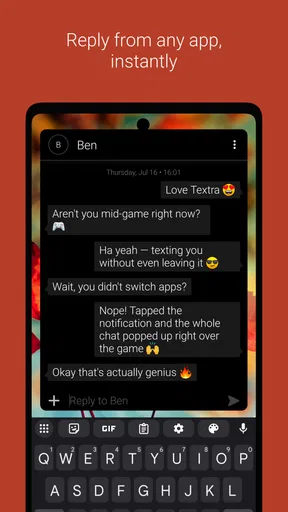
Quick replies can also reduce friction when you are busy. If a notification gives you the option to respond without opening the full conversation, you can send a brief answer and get back to what you were doing. I would use that for something like confirming a pickup time, not for a complicated exchange where I need to review the full thread before replying.
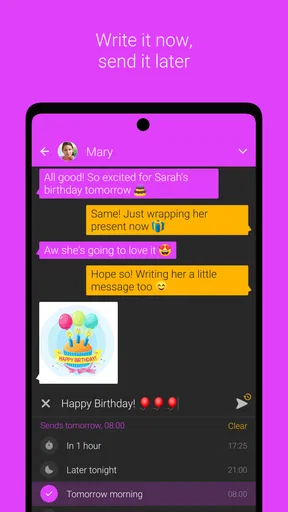
For a realistic everyday routine, imagine remembering after dinner that you need to tell a friend about a morning plan. You can write the message then and schedule it for a more appropriate time, rather than relying on your memory the next day or sending a late-night alert. I would still check the recipient and wording before scheduling; convenience is helpful, but a delayed message can be confusing if the plan changes.
Customization Galore
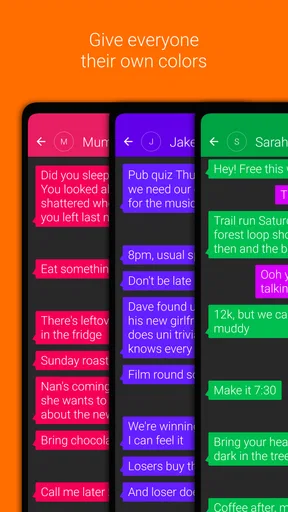
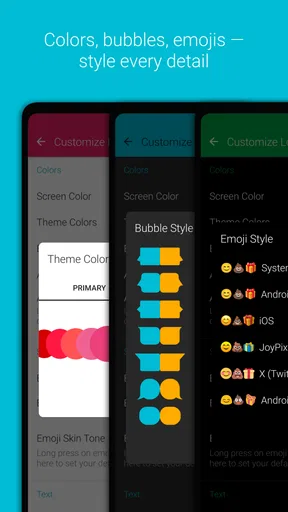
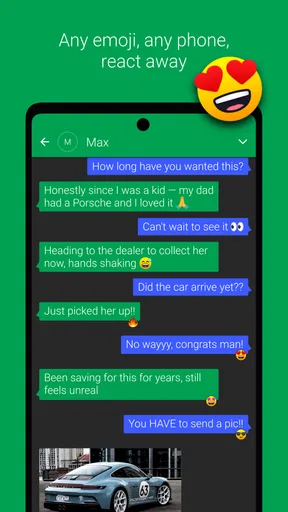
One of the first things I noticed about Textra SMS is how customizable it is. Seriously, it feels like the developers wanted to make sure you could change everything to suit your personal style. Whether you’re a fan of bright, bold colors or something more subdued, Textra SMS has you covered. You can tweak the bubble colors, set different themes, and even adjust the app icon color. It’s like having a tailor-made messaging app!
Plus, if you’re into emojis, you’re in luck. Textra supports a variety of emoji styles, so you can switch it up between Android, iOS, EmojiOne, or even Twitter emojis. It’s a small detail, but it makes expressing yourself so much more fun.
Notifications That Suit You
Let’s talk notifications. With Textra, you’ve got options. You can customize the LED color, vibration pattern, and ringtone for each contact. This came in handy for me because, let’s face it, not all messages are created equal. Being able to distinguish between a message from my boss and a meme from a friend without even looking at my phone? Priceless.
And if you’re someone who’s often glued to your phone, the quick reply feature will be your new best friend. You can reply directly from the notification without opening the app. It’s a huge time saver, especially when you’re on the go.
Performance and Reliability
Now, I know what you’re thinking—does all this customization come at a cost? Thankfully, no. Textra SMS is incredibly reliable and responsive. I’ve been using it for a while now, and I haven’t experienced any crashes or significant lag, which is a big win in my book. Messages send and receive quickly, and the app doesn’t drain my battery, which is more than I can say for some other apps I’ve tried.
The developers also seem to be on top of their game with regular updates, constantly improving the app’s performance and adding new features. It’s comforting to know that they’re committed to providing a top-notch user experience.
Extra Features You’ll Love
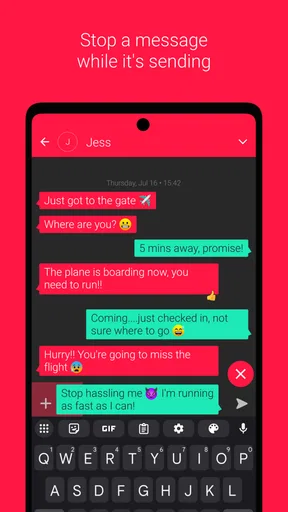
Aside from the basics, Textra SMS offers some cool extras that are worth mentioning. The app supports group messaging and MMS, which work seamlessly. You can also schedule messages to be sent at a later time, perfect for those moments when you remember something important at an odd hour but don’t want to disturb someone’s beauty sleep. It’s a thoughtful feature that I’ve used more times than I’d like to admit.
For those who are security-conscious, Textra allows you to use passcodes to protect specific conversations. It’s a nice added layer of privacy that gives me peace of mind.
Where its extras help—and where to be careful
Scheduled sending is more than a convenience for late-night reminders. I find it useful for drafting a message while the details are fresh, then choosing a sensible moment for it to go out. It is best for stable plans or simple reminders; if you are waiting on someone else’s confirmation, sending automatically could leave the recipient with outdated information. I treat scheduling as a prompt to communicate at a better time, not as a substitute for checking whether the message is still accurate.
Group MMS is handy when a conversation needs to reach people who are not all using the same chat service. The trade-off is that group texts can behave differently from internet group chats, and the experience can depend on carrier messaging. For a quick family update or a small coordination thread, that can be perfectly adequate. For a large, active group that shares lots of media, a dedicated internet-based messenger may be more comfortable.
The conversation passcode feature is useful for adding a barrier to selected threads, but I would not treat it as a complete privacy solution for everything on a phone. It is a targeted convenience when you want an extra step before opening particular conversations. If your main requirement is comprehensive device security or a messaging service designed around encrypted internet chats, compare those needs separately rather than assuming a conversation lock covers them.
When the familiar alternative is better
Compared with a phone’s default SMS app, Textra’s strength is the amount of personal control it offers over appearance and alerts. The default app may be the better choice if you want the fewest decisions, prefer not to switch your texting setup, or already like how it handles your conversations. I would not change apps just to make a small color adjustment unless the extra controls genuinely improve how you use messages.
Compared with internet messaging services, Textra fills a different role. It is a sensible choice for people who exchange standard texts, need MMS, or want their SMS inbox to feel more organized and personal. It is less suitable if you expect features tied to online accounts, want all your conversations in one cross-platform service, or mainly communicate through a particular chat network. In that case, keeping Textra for carrier texts while using your preferred messenger for online conversations may be more practical than expecting one app to replace both.
There is also a small setup trade-off: customization is rewarding, but a crowded set of options can make it tempting to keep adjusting instead of simply messaging. I suggest choosing a theme, setting one or two contact alerts, and then using the app normally for a few days. If a setting is not solving a specific problem, leave it alone. That approach makes the app’s flexibility work for you rather than creating extra maintenance.
Conclusion
In a world where messaging apps are a dime a dozen, Textra SMS stands out with its impressive customization options, reliable performance, and thoughtful features. It’s a joy to use and genuinely enhances the texting experience. Whether you’re looking to personalize your messaging app or just want something that works well, Textra SMS is definitely worth a try.
So, if you’re ready to take your texting to the next level, give Textra SMS a shot. Trust me, your messaging life will never be the same!
My recommendation is more measured than that last line suggests: try it if SMS and MMS are part of your routine and you want useful control over how conversations look and notify you. Start with one contact alert or a calmer theme, then see whether quick replies or scheduled messages solve a real everyday need. If you prefer an app that gathers internet chats, or you would rather never think about settings, sticking with your current messenger may be the better call. For Android users who want a more personal home for ordinary texts, Textra is an approachable place to start.
Pros
- Customizable themes and colors.
- Quick and smooth performance.
- Easy scheduling for messages.
- Supports a wide range of emojis.
- Quick reply from notifications.
Cons
- Limited advanced features.
- Ads in the free version.
- No backup for MMS messages.
- Limited integration with other apps.
- Some features require paid upgrade.
FAQs for Textra SMS
What features make Textra SMS stand out from other messaging apps?
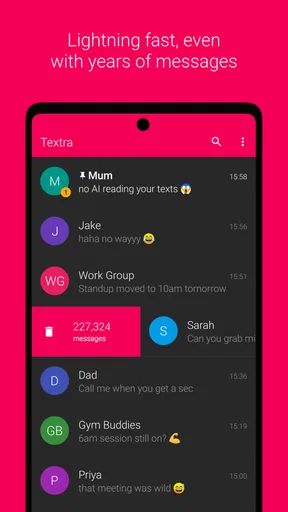
Textra SMS offers a sleek design with extensive customization options, including themes and color schemes. It supports group messaging, quick reply pop-ups, and a range of emoji styles. Users appreciate its speed and reliability, as well as features like scheduled messages, SMS blocking, and the ability to pin conversations.
Is Textra SMS compatible with all Android devices?
Textra SMS is compatible with most Android devices running version 4.1 and above. It’s designed to work seamlessly across a wide range of phones and tablets, ensuring a smooth messaging experience no matter your device. However, it’s always a good idea to check the app’s specifications on the Play Store for any device-specific requirements.
Does Textra SMS support multimedia messages and attachments?
Yes, Textra SMS fully supports sending and receiving multimedia messages (MMS), including photos, videos, audio, and GIFs. It also allows you to attach files directly from your device, making it easy to share content with friends and family. The app handles large files efficiently, ensuring your messages are delivered promptly.
How does Textra SMS handle privacy and security?
Textra SMS offers several privacy features to protect your messages. It includes password protection for the app, message blacklisting, and the ability to hide private conversations. Additionally, the app does not store your messages on its servers, ensuring that your personal information stays secure on your device.
Is Textra SMS free to use, or does it have a paid version?
Textra SMS is available for free, which includes access to most of its features. However, it also offers a Pro version for a small fee, which removes ads and provides additional customization options. The Pro version enhances the user experience, making it a worthwhile upgrade for those who frequently use the app.


